![Table Needs.png]](https://help.tableneeds.com/hs-fs/hubfs/Table%20Needs.png?height=40&name=Table%20Needs.png)
Features and Benefits:
-
Review Total Transactions: See a summary of all transactions processed during the day, including completed sales and refunds.
-
Payment Details: View all payments received, including the amount charged for each transaction.
-
Sales Summary: Get a comprehensive snapshot of your daily sales before closing out, helping you ensure accuracy and avoid discrepancies.
-
Historical Batches: Access and review previous batches to track past sales activity and payments.
How to Close a Batch:
-
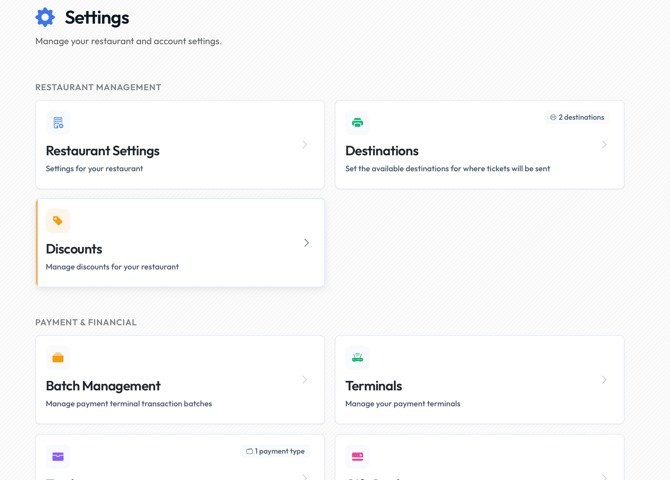
Navigate to Settings → Payment and Financial → Batch Management.
-
Click on Pending Batch to view the current day's transactions.
-
Review all transactions, payments, and refunds.
-
Confirm the sales summary.
-
Click the Close Batch button located in the top right-hand corner of the screen to finalize your day’s sales.
Batch Management is an essential tool for maintaining accurate financial records, simplifying your daily closing process, and reviewing past batches when needed. If you fail to close the batch at the end of the day, this prevents you from receiving your deposit.
Important: Batch out needs to be initialized from a mobile iOS or Android device, such as an iPhone, iPad, etc.
The TSYS (Sierra) app needs to be open on the handheld device.